
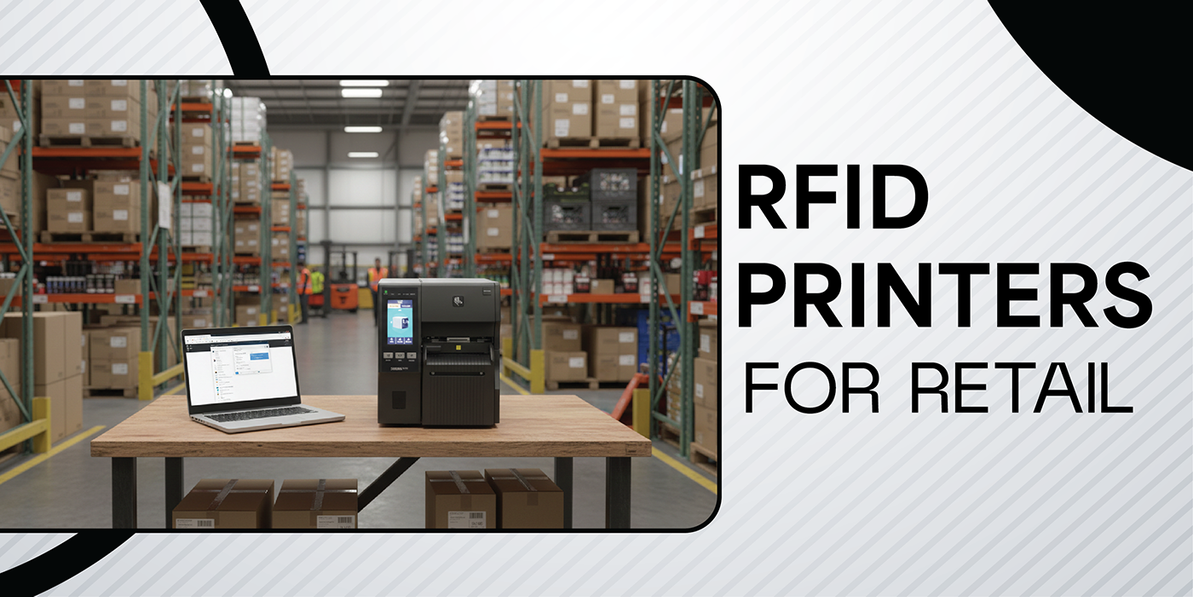
How to Choose the Best RFID Printer: A Complete Buyer's Guide
1. What is an RFID Printer (and Why Do You Need One)?
An RFID (Radio Frequency Identification) printer looks almost identical to a standard barcode label printer. However, it performs two distinct actions simultaneously:
- It prints: It prints visual data (price, barcode, SKU, logo) on the label surface.
- It encodes: Inside the printer, an antenna sends a radio signal to the tiny chip embedded in the label (the inlay), writing a unique code (usually an Electronic Product Code or EPC) to it.
Why not just buy pre-encoded tags?
Many retailers buy pre-encoded tags from suppliers. However, owning an RFID printer gives you more flexibility.
- Reprinting damaged tags: If a tag falls off a dress in the store, you can print a replacement instantly.
- Retagging returns: Items returned without tags can be processed immediately.
- Markdown/Clearance: You can print new price stickers that also update the RFID data to reflect the new "Clearance" status.
2. The Three Main Categories of RFID Printers
The first step in choosing is understanding the "form factor." This depends entirely on where you will use the printer and how many labels you need to print.
A. Mobile RFID Printers
These are battery-powered, handheld units that clip to a belt.
- Best For: "On-the-floor" tasks. Staff can re-tag items right at the shelf, markdowns, and bust queues.
- Volume: Low (Printing <100 labels at a time).
- Pros: Incredible flexibility; workers don't need to walk to the back room to print a label.
- Cons: Limited label roll capacity; battery life management required; lower print speed.
B. Desktop RFID Printers
Compact units that sit on a desk or counter.
- Best For: Store backrooms, small boutiques, or shipping stations.
- Volume: Medium (Printing 100 – 1,000 labels per day).
- Pros: Small footprint; quieter operation; generally more affordable.
- Cons: Not built for 24/7 distinct continuous operation; smaller label rolls mean more frequent media changes.
C. Industrial RFID Printers
Large, heavy, metal-cased beasts built for warehouses and distribution centers (DCs).
- Best For: High-volume distribution centers, manufacturing source tagging, or large flagship store stockrooms.
- Volume: High (Printing 5,000+ labels per day).
- Pros: Extremely fast; durable; holds massive label rolls (less swapping); can run 24/7.
- Cons: Expensive; loud; takes up significant space; heavy.
3. Key Selection Criteria: The "Must-Check" Features
When looking at spec sheets, these are the variables that actually matter for retail.
I. Resolution (DPI)
DPI stands for "Dots Per Inch." It determines how sharp the text and barcodes look.
- 203 DPI: The industry standard. Good for shipping labels and standard hangtags. Most retailers choose this.
- 300 DPI: Better for smaller labels (e.g., jewelry tags, cosmetics) where text is tiny.
- 600 DPI: Specialized. Only needed for micro-tags on very small items (e.g., optical frames).
II. Print Width
- 4-Inch (Standard): Most retail hangtags and shipping labels are 4 inches wide or less. This is the standard size for 90% of printers.
- 2-Inch: Common for mobile printers.
- 6-Inch: Rare in retail, mostly for pallet labeling in logistics.
III. Encoding Technology (UHF vs. HF)
Crucial Warning: Ensure you buy a UHF (Ultra High Frequency) printer.
- UHF (RAIN RFID): This is the global standard for Inventory. It reads from meters away.
- HF/NFC: Used for payments and secure access. It has a very short range (centimeters). Do not buy this for inventory tracking.
IV. "On-Metal" Capability
Standard RFID tags do not work on metal surfaces (foil packaging, metal tumblers, electronics) because metal blocks the signal. You need special "On-Metal" tags which are thicker.
- The Trap: Standard RFID printers often jam if you try to feed thick On-Metal tags through them.
- The Solution: If you sell electronics or metal houseware, ask for a printer specifically capable of "On-Metal Asset Tagging."
4. Comparison Table: At a Glance
|
Feature |
Mobile Printer |
Desktop Printer |
Industrial Printer |
|
Daily Volume |
< 100 labels |
500 - 1,000 labels |
5,000+ labels |
|
Durability |
High (Drop resistant) |
Medium (Plastic casing) |
Very High (Metal casing) |
|
Size |
Mobile/ Small |
Approx Shoe-box size |
A bit bigger than Microwave size |
|
Media Cost |
Higher (Special rolls) |
Standard |
Lowest (Bulk rolls) |
|
Key Use Case |
Markdowns / Shelf-edge |
Back-of-store Retagging |
DC / Warehouse |
5. Factors You Might Miss before choosing an RFID Printer
A. Calibration (The "Auto-Calibrate" Feature)
RFID tags are invisible. The printer needs to know exactly where the chip is inside the label to encode it correctly.
- Old Way: You had to manually measure the chip placement and type coordinates into the software. It was a nightmare.
- New Way: Look for printers with "Adaptive Encoding" or "Auto-Calibration" (e.g., Zebra's printer). The printer automatically senses where the chip is and adjusts itself. This is a lifesaver for beginners.
B. Connectivity
How will the printer connect to your computer?
- Ethernet: Mandatory for fixed (Desktop/Industrial) printers to ensure network stability.
- Wi-Fi: Essential for Mobile printers, but increasingly popular for Desktop printers so you can move them around the stockroom without cables.
- Bluetooth: Great for connecting a mobile printer to a tablet or smartphone.
C. Software Compatibility
- TagMatiks Print Manager (PM) is an enterprise-grade RFID software solution by RFID4U designed to simplify the design, printing, and encoding of RFID labels. It acts as a bridge between your data and RFID printers, ensuring that assets are correctly tagged for tracking and inventory management
- ZPL (Zebra Programming Language): The most common "language" retail systems speak. Even if you don't buy a Zebra brand printer, many other brands emulate ZPL to ensure compatibility.
6. Top Brands in the Market
- Zebra Technologies: The market leader. Known for the ZD series (Desktop) and ZT series (Industrial). They are the "safe" bet but often come at a premium price.
- TSC / Printronix: Often offers excellent value—high features for a slightly lower price point than Zebra.
7. Different types of Zebra Printers:
Zebra printers are broadly categorized by their operating environment (Industrial vs. Desktop vs. Mobile) and their specific application (RFID in warehouse, RFID, Healthcare).
Here is a breakdown of the different types of Zebra printers, their current product lines, and typical use cases.
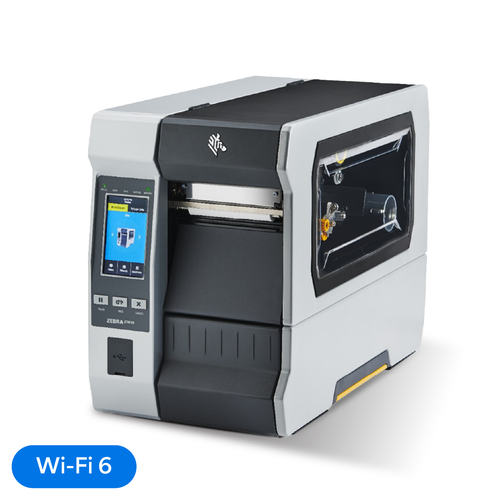
1. Industrial Printers
These are designed for harsh environments (warehouses, factories) and high-volume printing (24/7 continuous operation). They are typically larger, constructed with metal frames, and hold larger media rolls.
- Key Series:
- ZT600 Series: The highest performance line (replaces the legacy Xi series). Built for extreme durability and precision.
- ZT400 Series: The most popular mid-range industrial printer. Good balance of speed and features.
- ZT200 Series: Entry-level industrial printers for budget-conscious operations that still need a metal frame.
- Best For: Manufacturing production lines, shipping/receiving in warehouses, cross-docking, and high-volume compliance labeling.
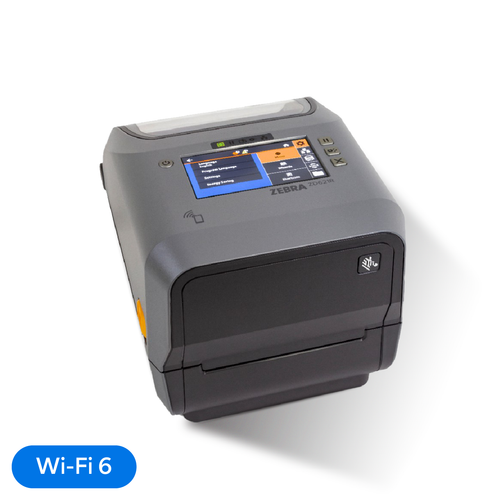
2. Desktop Printers
These are compact printers designed for office desks, retail counters, or cramped workspaces. They are plastic-bodied and intended for low-to-mid volume printing (less than 1,000 labels/day).
- Key Series:
- ZD600 Series: Premium desktop line with advanced features like color touchscreens and high print speeds.
- ZD400 Series: The standard "advanced" line. Very flexible and replaces the older GK/GX series.
- Best For: Retail point-of-sale, pharmacy prescription labeling, light shipping, and office file tracking.
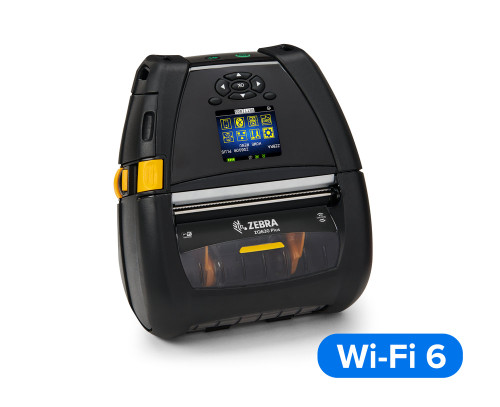
3. Mobile Printers
Battery-powered, lightweight printers designed to be worn on a belt clip or shoulder strap. They connect wirelessly (Bluetooth/Wi-Fi) to handheld computers or tablets.
- Key Series:
- ZQ600 Series: Premium mobile printers for retail and warehouse.
- Best For: Delivery drivers (proof of delivery receipts), shelf-edge pricing in retail, and mobile line-busting.
8. Final Beginner Checklist
Before you sign the purchase order, ask these questions:
- Volume: Will we print how many tags a day at this location
- Industrial).
- Mobility: "Do staff need to print labels while standing?
- Material: "Are we tagging metal items or electronics?, What will be the material of tag?"
Media: "Can we easily buy the specific label sizes we need for this printer model?"
Recent Posts
-
How RFID Handheld Readers Can Be Used with GPS for Asset Location Tracking
Asset tracking has become a critical challenge across industries such as logistics, warehousing, hea …Feb 26th 2026 -
How to Choose the Best RFID Printer: A Complete Buyer's Guide
1. What is an RFID Printer (and Why Do You Need One)? An RFID (Radio Frequency Identification) print …Feb 17th 2026 -
Zebra RFD40-M Premium Plus UHF RFID Sled
The Zebra RFD40M Premium Plus UHF RFID Sled is a modular, high-performance RFID reader that attaches …Feb 9th 2026